The best part of this blogging mystique is the flow of conversation and thoughts among readers on the blog. The pleasure you afford the writer by sharing your thoughts or spreading the word on a good article is immense. It matters very little if there is complete agreement or a bit of challenge or a few questions in these responses. To me, it matters only that I can make my own website and be able to share something worthwhile and someone has found value in it. In Part 1 of this post, I shared 5 of my top 10 pillars of blogging excellence and you, my dear readers, added dozens of ideas and thoughts to enrich the original 5! A heart-felt thank you!
Now that formalities, however sincere, are out of the way, let’s get on with the next 5. This second half appeals more to your sense of style and art, to your creativity and imagination, and focuses mainly on the parts of blogging that I think set you apart and help you find your authentic voice.
This is Part 2 of 2 where I share the next 5 of Top 10 indispensable Pillars of Blogging Excellence. Part 1 post reveals the first 5.
6 Evernote for Ideas, Drafts and Remembering Everything
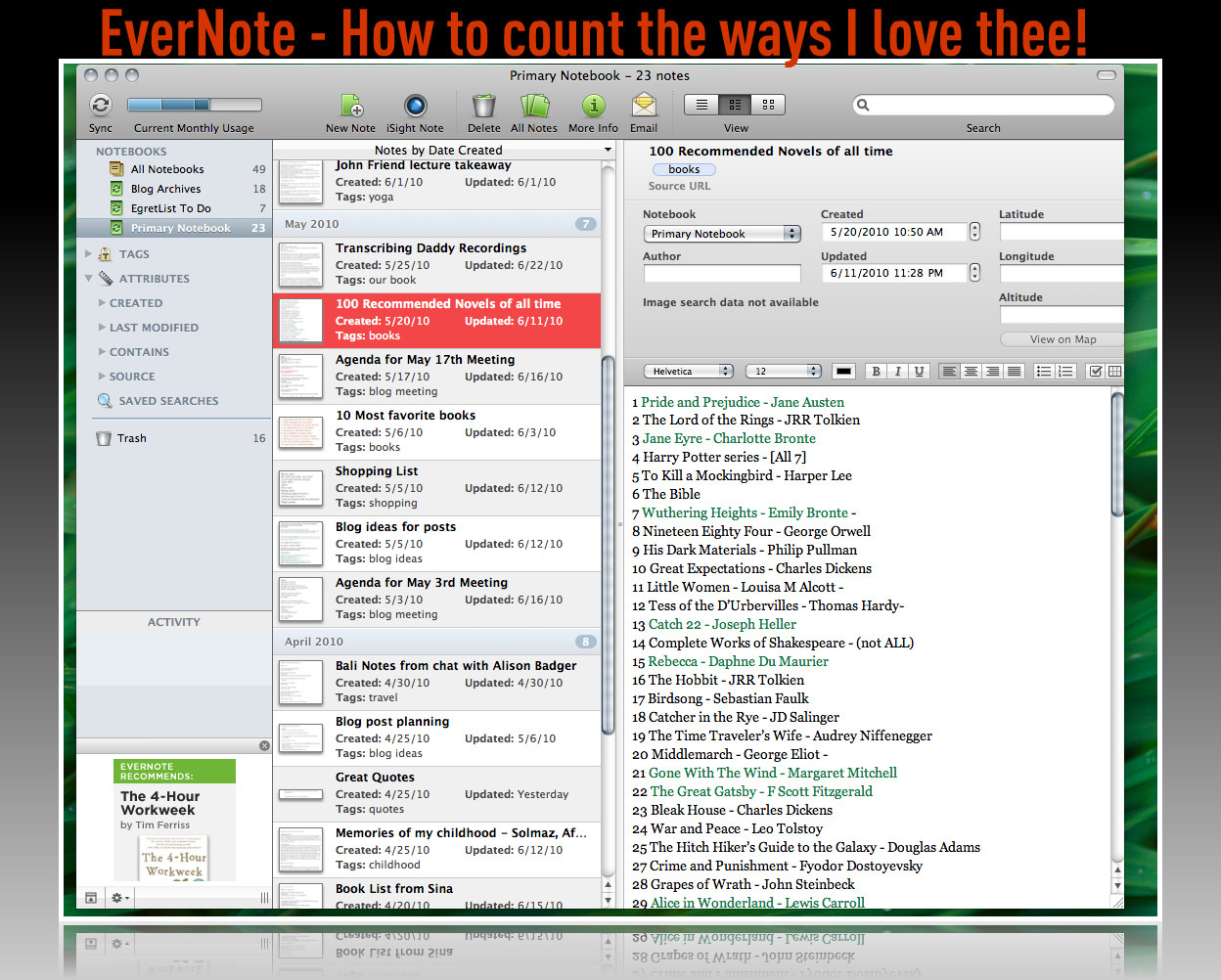
 Evernote is the poster child of all note-taking, idea-capturing applications; it surpasses them all. It remembers everything you tell it to remember! It is the brilliant yet simple notion of capturing notes in any medium, be it in writing, in voice recording, in photos or any combination. The notes then are synchronized to a bunch of servers somewhere safe, or to “the magical cloud of elephants“, according to Evernote, ready for instant retrieval at your heart’s command! When (not if!) you have a brilliant blog post idea, a stream of thoughts you want to capture, a few things you must recall to do, a shopping list out of the blue, or anything else to remember in your fast frenzy of a world, Evernote is there for all of it, seamlessly from your phone to your computer to the cloud servers.
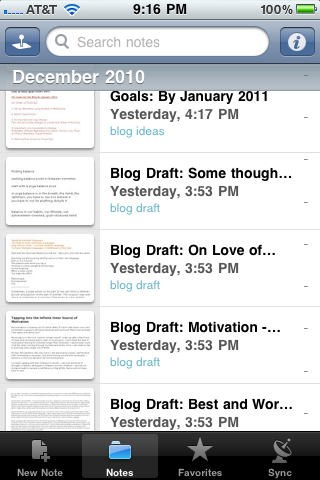
The screen shot below is from the Mac where I can write some ideas on a note at night, shut down and go to bed, but after a surge of energy (usually after washing my face with cold water or brushing those teeth) continue on the updated version of the same note in bed from my iPhone before calling it the night. My stream of consciousness never interrupted, thank you Evernote!
 What I love most about EverNote:
Free (although I may upgrade to the paid version just to support these guys!)
Reliable. It just works.
Captures ideas fast! Works fast. It’s just fast!
Tagging system and multiple notebooks to keep you super organized
Layout is intuitive and inviting to use.
Helps me not just to think but also to organize my thoughts.
Empowering to a blogger’s need for self-expression.
Gives me free uninterrupted flow of writing.
Love using it as my writing stage for a blog post before transferring to WordPress.
An App for both the Mac and the iPhone.
Super cool Firefox plugin which, at a click of a button, lets you save an entire webpage (I do this for an entire blog post + comments just to have yet another archive of the blog!)
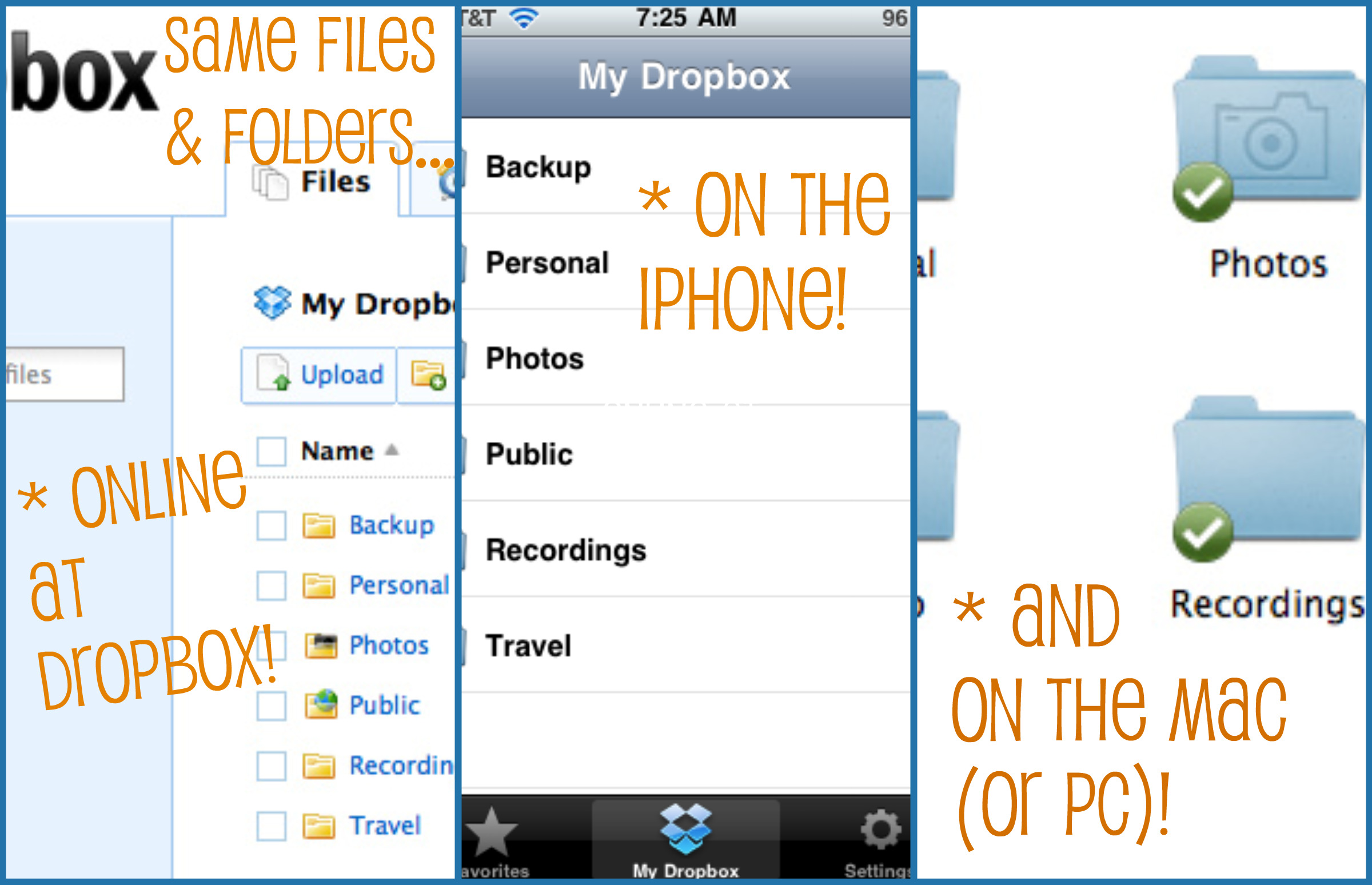
Most of all, having the same files on the Mac and on the iPhone, at the same time (Much like a super woman, being in two places at once)!
7 Dropbox for Data Backup and Accessibility
 Dropbox is the super efficient way to have your files in servers online to access from any PC or your Smart phone anywhere anytime. Think about that! Dropbox stores all files online as well as on your Mac (or PC)’s hard drive and also on your phone’s hard drive only when you favorite a file. All the files accessible from anywhere!
Applications these days do not need to be complicated to be extremely powerful and essential to your day’s productivity. Dropbox, much like Evernote, lives up to its reputation in the user community and of course I have my own reasons to love this essential app for my blogging productivity. Though it goes without saying, you should be conscientious of the sensitivity of files you store, and if you plan to store super sensitive data, encryption first may not be a bad idea.
Why I love this Dropbox thing:
Super fast like its buddy, EverNote.
Easy system to backup files in an instant.
Multiple people can use the same file system in a family or a group (File sharing at an instant).
Fast and efficient way to sync files to your home PC when on vacation or away (When you turn on your PC, it syncs to the servers and updates everything).
Accessing files on your iPhone when on vacation.
Accessing the same files online if problems with your phone on vacation.
Storing travel documents for super quick access on the go.
Having access to docs and photos and videos on the iPhone without taking up my phone’s hard drive space.
The peace of mind that your data is not only organized and accessible but also backed-up (Do not ever underestimate the importance of data backups in your life!).
8 Social Media Choices for Communication and Distribution
Blogging without using social media is like having a relationship without emotions or a romance without a heart. It just doesn’t work! But much like the relationship and the romance, you need the right type of emotions and right heart-set (!) to be successful and happy! Balance and smartness is key in your social media approach so that you always, always stay in control rather than be sucked into the endless tunnels of information overflow!
When it’s done right, social media can be the channel to help you discover amazing blogs, connect you with your blogging buddies, allow you to show your support and sense of community for co-bloggers and other people, companies, products, groups in which you believe, and it can be the news feed into your world. Social media makes the world a smaller (if not a bit busier) place and it’s an essential to blogging and so long as I am in charge, I’ll never give it up! My top four choices for social media love and reasons behind each:
 I still remember how I mocked my husband for telling me to get on Twitter. “But it’s so impersonal and the messages are in such short bursts?” – Yes, the latter it may be but the former is an illusion! I love Twitter to bits and pieces for all the amazing friends and blogging buddies I have discovered through it, not to mention the sea of information I would otherwise not come across. Speaking of blogging, Twitter brings respectable recognition and traffic to your site even with moderate but genuine use. Please always use it with etiquette, consideration, tact and smarts! Lisa’s Twitter 101 is a great reference if you are a beginner.
 Exactly a year ago, I wrote a Tribute to Facebook for all the joys it has afforded me through reconnecting me with some old friends and enabling me to keep tabs on my family and relatives in Iran and all over the world. I can certainly use a dozen other ways to accomplish the same but the point is that Facebook, despite all its privacy issues and its silly games and other security risks, does do one thing well: Connect people. That matters to me. Balance and self-discipline are naturally keys to enjoying all things in moderation. As far as Facebook and blogging go, I used to only share my posts on my personal Facebook page until I started getting Friend Requests from readers and fans. To keep my personal page for family and friends, I created a very simple Prolific Living fan page, despite my initial reservations (And I’ve never had issues with modesty so go figure!?!). I think it’s important to give the option of a Facebook fan page to potential readers and followers who do not turn to Twitter or other mediums; you’d be surprised how many are exclusive with Facebook. What a shame it would be if people could not find your fantastic content! Now go and create that fan page and be sure to tell me about it!
Flickr
 I Love Flickr. I have been a pro member of Flickr community for over 5 years now and find it to be, hands down, the best photo sharing application on the planet. There are some amazing amateur and a good handful of extremely professional photographers and no matter where you lie on the scale, you will come across countless photos to make you feel rather humble. Insofar as the blog, I created an exclusive set for Prolific Living photos and I use the same blog post photos on Flickr, then I submit the photo to the appropriate and relevant forums in which I participate and link back to the post. I happen to enjoy the Flickr community and the interactions with other avid photo lovers but I also happen to receive traffic and even subscribers from Flickr. Either way, did I mention I love Flickr!!
 LinkedIn is for connecting with your professional network. I was using my profile exclusively as a rather static place for my online career resume. Because professionals in just about any field (including blogging) use it, it makes sense to keep a profile especially if you work at a company or are interested in networking with those who do. With the LinkedIn feeds for blogs, I started to display my most recent 5 fields with a status update to promote the latest and greatest news. I may update the status twice a month and the feeds are automatic. LinkedIn traffic varies but I think hitting up that audience can only be a win for you with very little upkeep on your part.
9 Media Processing Apps for Audio and Video Blogs
Using mediums of audio and video stimulates your readers and engages them on a level beyond words and prose. It also stimulates your (the writer’s) creativity juices. Finding the best media for the topic at hand is no easy task but who isn’t up for a little challenge in this life?
With both video and audio, I would say the authentic quality of content is of most importance, followed by consistent and clear quality on the media. This would be the result of technology used to create it. Here are my current top picks:
Video
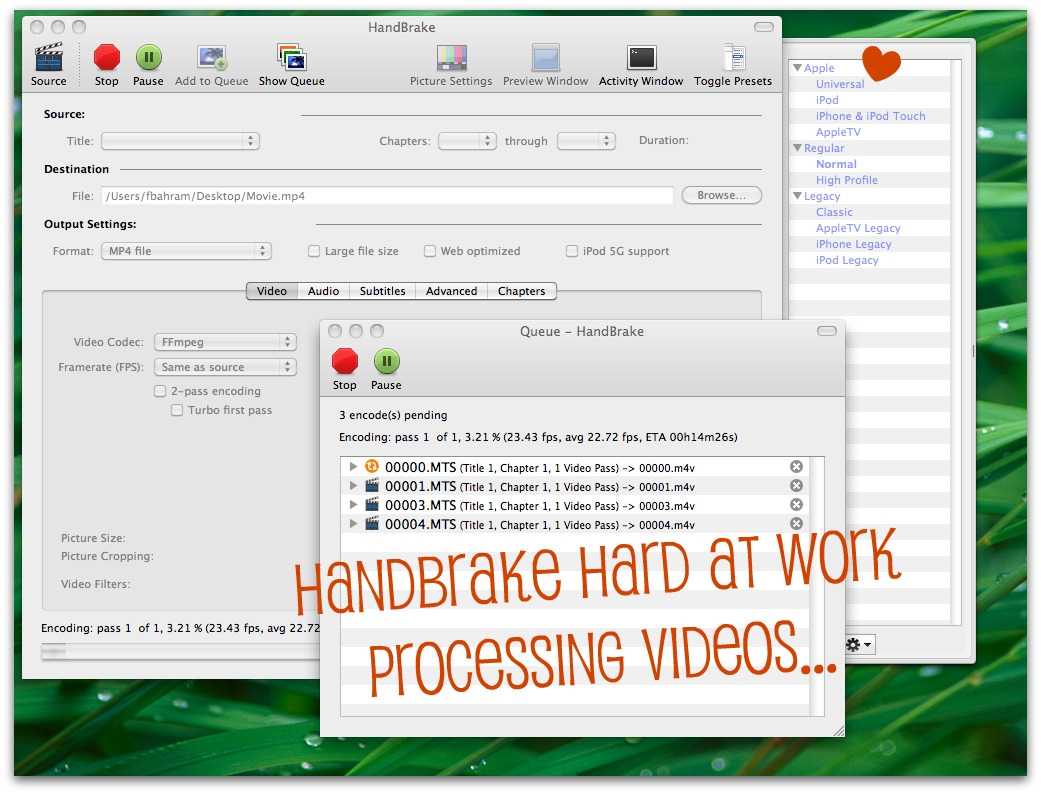
I used my point & shoot Canon’s video capability before I committed to becoming the videographer for our Toastmasters club. That’s when I splurged on the Canon VIXIA (See the first video shot for the blog with it compressed at 90% from the high digital quality)! The type of video camera is up to you but manageable video processing is key. I use the brilliant, handy and free Handbrake application. You can process raw video files into any compressed format including exclusively for the iPhone, iPod Touch, or AppleTV. After Handbrakes outputs a clean and compressed video file, I upload it to Vimeo and then link to it from WordPress! Vimeo spits out the exact code you need to embed video so you don’t really even need a plugin! I admit I stopped using YouTube – I don’t find the user interface very sophisticated – that and YouTube limits you to 10 minute long videos. I also regret that I bought Final Cut Express, an Apple product it may be but I find it too cumbersome and complicated at least with my novice stage as a videographer.
Audio
I have wanted to start an audio podcast for a long time now. For recording audio, years ago I used a fabulous free application called Audacity. I have also used it to edit music files for ring tones and I have no doubt I could use it for a quick and dirty way to record podcasts. Then I started playing with Garage Band and I knew it is definitely the way to go for me. It is feature rich, powerful, intuitive and fun after the learning curve and is set up beautifully for audio podcasting! I am in the learning and exploring stages and so far, I love it. Barring any unforeseen disobedience from it in my audio podcast creation, I highly recommend it. Now all I need is heaps of luck for that first recording!
10 Photography Tools for Image Editing and Design
I have yet to publish a post without a photo! Alright, there may be a single one in the archives but I am sure I have a good excuse for it! I love the use of a photograph in every article. All the photography is my own (unless otherwise stated) so you can imagine the type of effort put in this endeavor. For camera, it has been point & shoot Canons and the iPhone so far but if all goes as dreamt and planned, that will be changing to a mini-pro Cannon soon! As to my approach to image editing and artistic design, it consists of these fabulous four:
Adobe Photoshop
 This most popular photo-editing power app intimidates and entices me at the same time and I have yet to peel even the top layers of this ingeniously rich program. I invested in Photoshop to cure my insatiable desire to learn about photo editing but time hasn’t been too kind in affording me nearly enough hours by her side. No matter, I use the very basics right now to clean up my photos for the blog and intend to delve deeper and deeper. A must-have for the photo-addict spirited one among you!
Adobe Bridge
 On the PC, I was in love with Picasa (#4 below) but when my photographer Pascal showed me his photo organization and viewing capability in Adobe Bridge, I was hooked on the user interface and ease of integration into Photoshop. Most of all, I love Bridge over Picasa because it does not import all my photos by creating a new copy for itself first; it simply reads off the same existing directories. Photo organization is my biggest recommendation to anyone who deals with photos on any scale. Being organized means saving time (super important!) and working fast! My 50,000 growing photo collection is a compelling reason to stay organized and I urge you to do the same, regardless of your photo gallery size!
Picasa
 Picasa was my one and only tool for photo organization and editing when I was on the PC and before I turned to the other 3 (above) so I wanted to make mention of it. If you are on the PC, I highly recommend it. The PC version is far more stable and efficient; the Mac version is still not as reliable. Both are free, thanks to Google! Picasa still holds some appeal to me even on the Mac. I can make some creative photo collages for the blog and I can pull together an online photo album to share with friends or family in minutes (on occasions that I wish to bypass Flickr).
Summary and your Thoughts
My goodness! We are finally done with the Top 10 Pillars but I had not anticipated going into details on all my sub-pillars!!! If you are here with me and have read this far, bravissimo for your heaps of patience. Part 2 turned out to be far more comprehensive so the next short may be an exercise in brevity (for me!). What can I say? I devour and delight in technology!
 I am Farnoosh, the founder of Prolific Living. So glad you are here. My mission is to empower you to unblock your creative genius to live your dream life.